Reference photos
Groom to photos of the real hair.
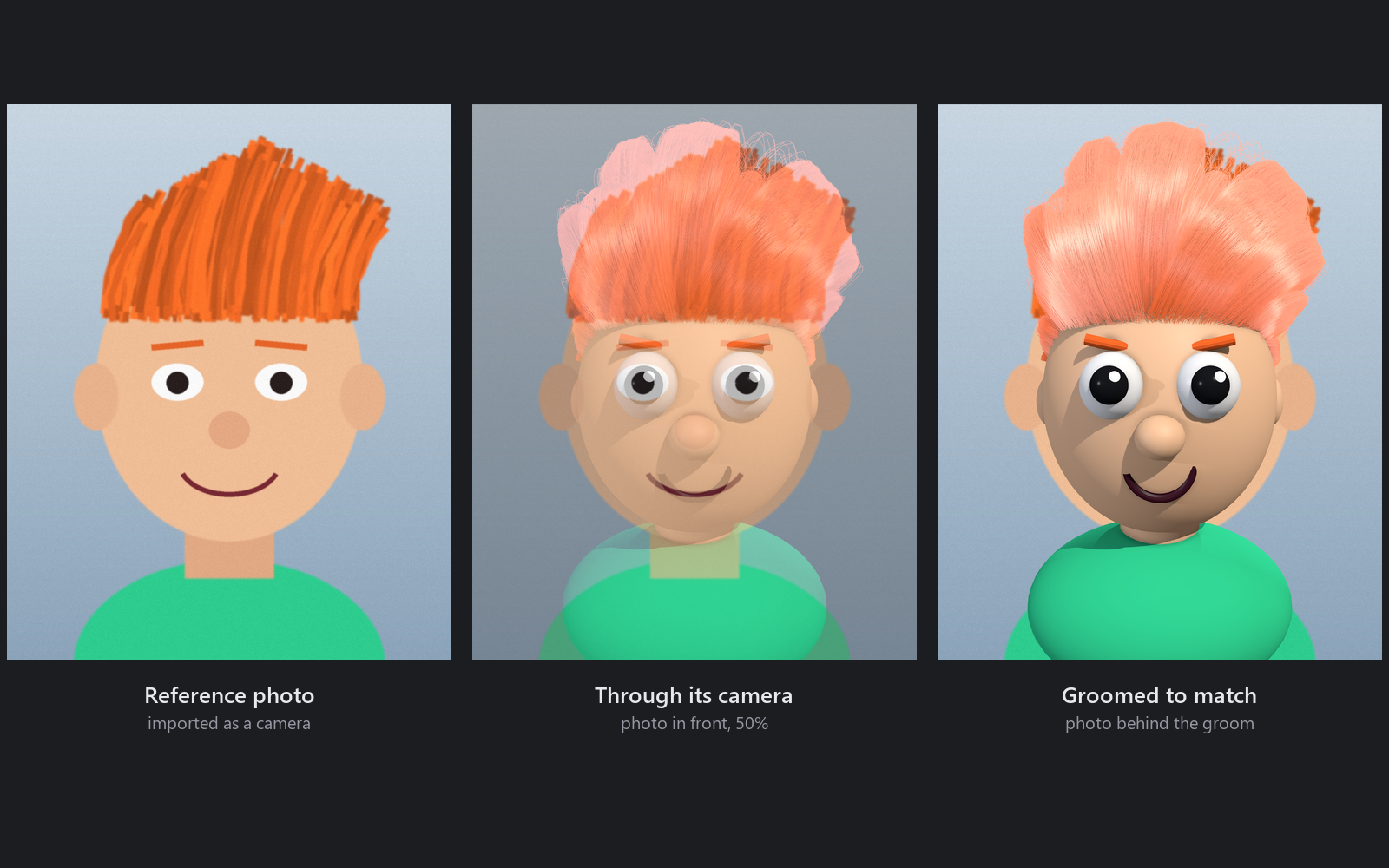
The Reference tab in the Groom Tools turns photos into cameras you groom to.
Import a photo
Import Photo... makes a camera aimed at the head with the photo on its image plane. The photo is copied beside the scene, so it travels with it.
Look through it
Look Through shows the photo's camera in the active viewport. Click again to go back.
Line it up
By eye (move the camera), or by points:
- Click Pick Points.
- Click a feature on the photo (the corner of an eye, the tip of the nose, an ear) while looking through it, then the same feature on the mesh in the perspective view.
- Pick six pairs or more, spread in depth (four with Keep focal length), then Solve.
The status says how many pixels off it lands, and each pair shows its own error, so a mismatched pair stands out.
Lock and groom
Lock the camera when it looks right. Set the photo's Opacity, put it In front of the mesh or Behind it, and brush the guides to the photo while looking through it.
import groomlab.reference as ref

cam = ref.import_reference("C:/photos/front.jpg", groom=groom)
ref.look_through(cam)
ref.solve(cam)          # after picking point pairs
ref.lock_reference(cam)
ref.set_reference_opacity(cam, 0.4)