Quick start
From a head mesh to a styled groom.
Create a groom
Select the scalp mesh and choose GroomLab > Create Groom from Selection.
The groom starts with a default graph:
Scalp → Scatter → Interpolate ← Guides → Length → Width → Resample → Output.
The viewport shows strands at 10% preview density (previewDensity sets it). On a skinned or
blend-shaped scalp, the groom connects a rest mesh so the same strands stay put on every frame.
Open the Groom Tools
GroomLab > Groom Tools docks beside the viewport. The Tools tab has every grooming tool as an icon, with the active tool's settings below the tabs.
Place guides
Pick Place and click on the scalp, or drag to lay down many at once. New guides copy the shape of the guides near them, and strands follow as you work.
Shape them
Brush the guides with Comb, then refine with Smooth, Straighten, Lift, Twist, Curl and Attract. Turn on Stretch to let combing lengthen or shorten guides. Hold B (radius) or M (strength) and drag, or middle-drag and Shift+middle-drag.
Add children
Select some guides and click Children... under Guide groups & edits (Tools tab). The children fill each parent's tube and follow it when it changes.
Build the look
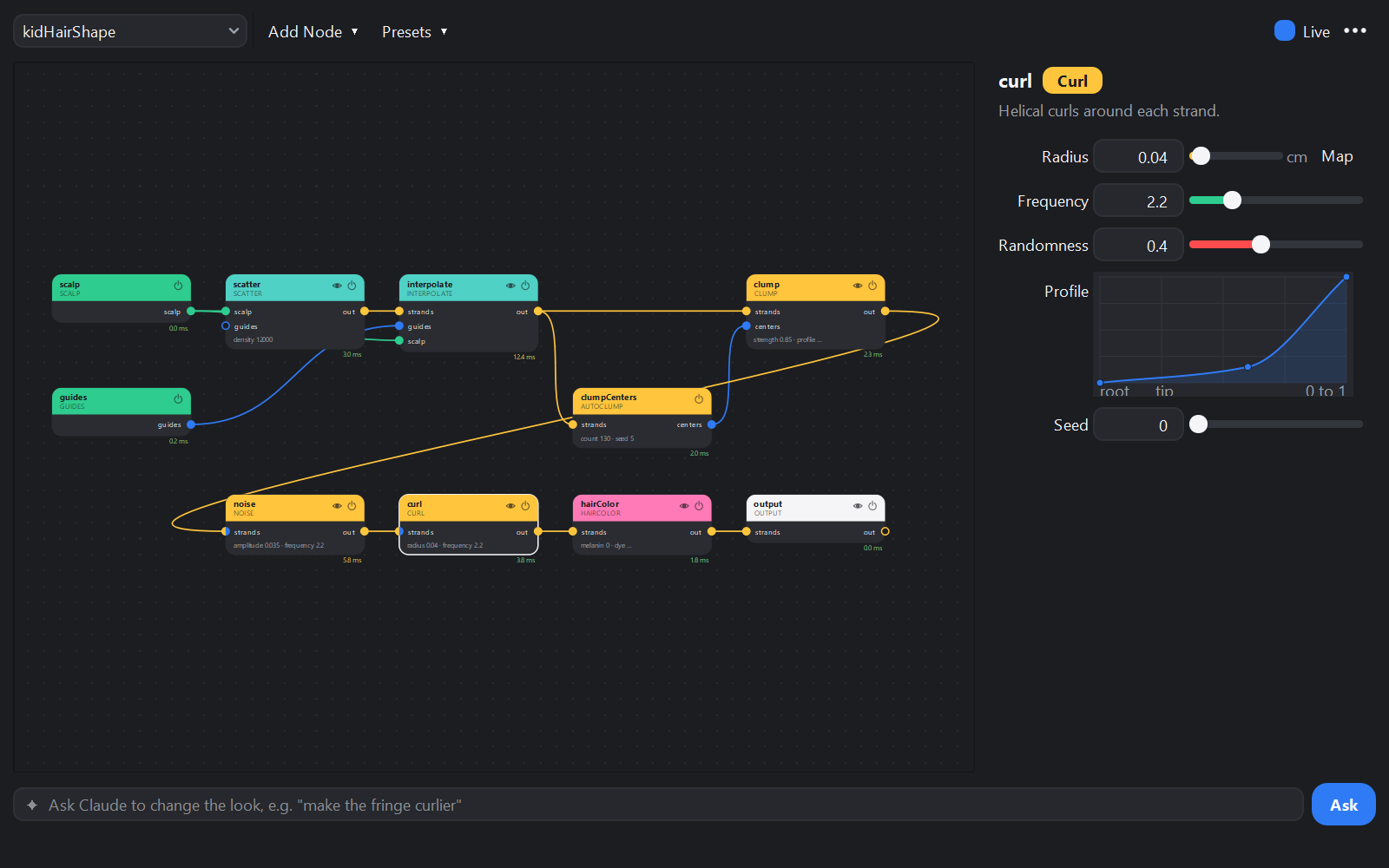
Open GroomLab > Graph Editor. Add Node puts a node after the selected one; drag between ports to wire. Try AutoClump and Clump, then Noise and Curl. With Live on, each edit applies as one undo step.
The same in Python
from maya import cmds
import groomlab

groom = groomlab.create_groom("head")
groomlab.generate_children(groom, "primary", name="children", count=8)
cmds.setAttr(groom + ".previewDensity", 1.0)
Something off?
groomlab.errors(groom), the Graph Editor's status bar or the Script Editor says why: a missing
map, a typo in an expression, bad guide data.
A groom stays fast while previewing: 100k strands through a full look graph evaluate in under 0.1 s, and tweaking one parameter redraws in about 5 ms.