Painting maps
Paint any parameter, in gray or color, with GroomLab's own brush.
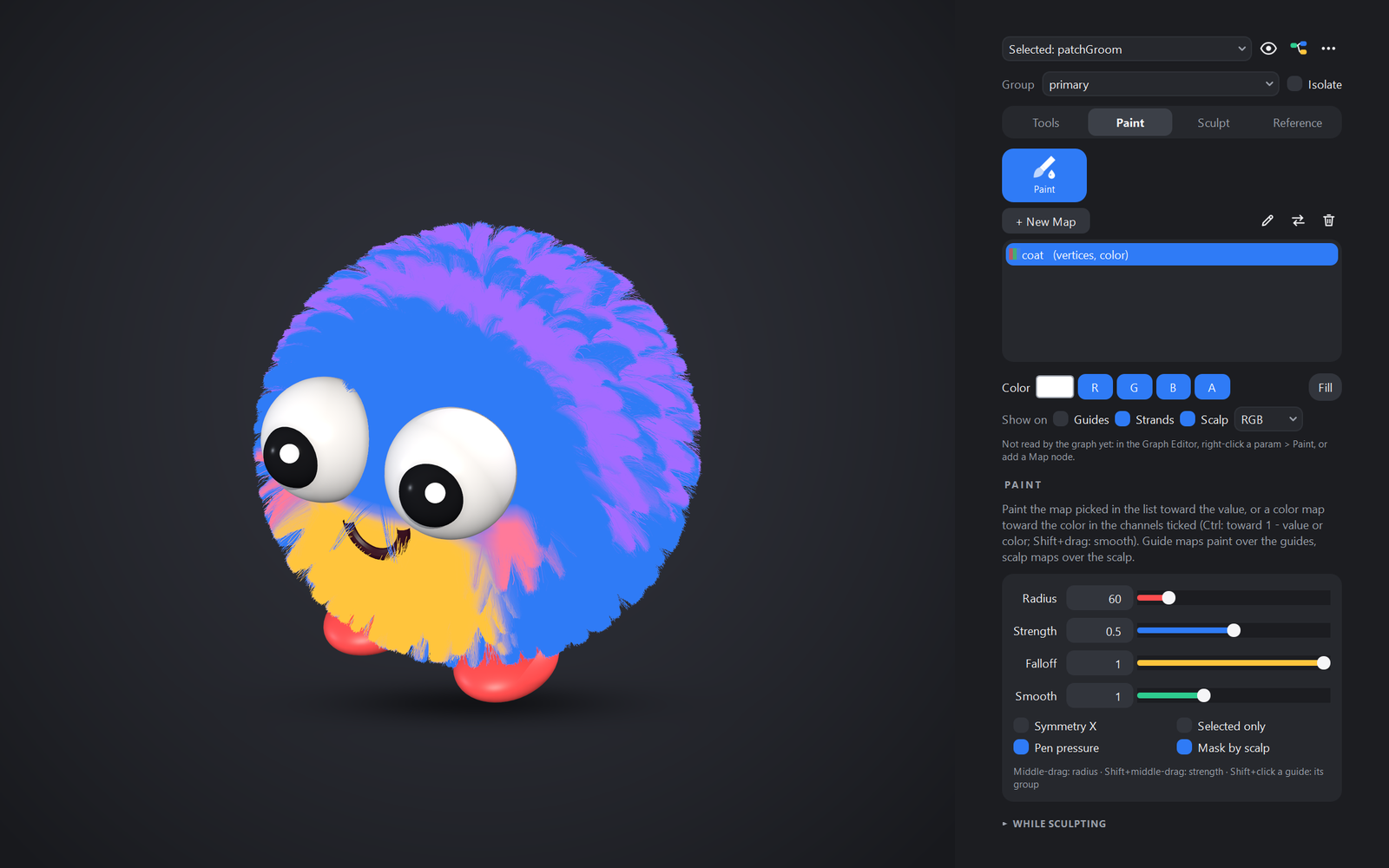
Paint a parameter
- In the Graph Editor, right-click a parameter (Scatter density, Clump strength...) and choose Paint > On Guides, On Scalp Vertices or As Texture.
- A white map is made, a Map node feeds the parameter with it, and the Paint tab opens with the brush ready.
- Strokes lower the parameter, Ctrl raises it, Shift+drag smooths. The groom follows every stroke.
White is the parameter's value, black is 0. One map can feed several parameters: Feed Param on the Map node.
Save the scene first
Texture maps are PNGs in the scene's own folder, groomlab/<scene name>/masks/<groom>/.
Three kinds of map
| Kind | Lives | Best for |
|---|---|---|
| Guides | A layer on the guides; children inherit it, strands blend it | Regions, density, clumping: anything that follows the guides |
| Vertices | A value per scalp vertex, kept in the scene | Finer detail, nothing on disk |
| Texture | A PNG at the scalp's UVs | The finest detail; editing in any image editor; engines |
Convert to turns a map into another kind with its name kept, so whatever reads it keeps reading it: rough a mask in on the guides, then make it a 4k texture for the engine.
A map's image
Right-click a map in the Paint tab:
- Relink Image... points the map at another image. A PNG is used in place, and painting edits that file. A JPEG, TGA, PSD or other format is copied into the masks folder as a PNG, so the source is never painted over. A guides or vertices map becomes a texture map; whatever reads it follows.
- Reload Image reads the image again after you edit it in another program.
- Show in Explorer opens the image's folder.
The map keeps its gray or color setting. A gray map reads a color image's luminance.
A map whose image is missing shows a warning in the list. Its tooltip names the file it expects. The Map node's panel in the Graph Editor shows the same warning, with a Relink Image... button. To relink many files at once, use GroomLab > Utilities > Find Missing Files....
Color maps and packed masks
A vertex or texture map can hold a color (R G B A) instead of a gray value: Values: Color when you make it, or Make Color on an existing map. The Paint tab then shows a swatch and R G B A toggles, and the brush paints only the ticked channels.
- Packed masks: paint up to four masks in one map, one per channel. The Map node has an output
port per channel (
luminance,r,g,b,a), so R feeds Clump strength, G feeds Noise fraction and B feeds Length, all from one node. For an engine, that is one RGBA PNG instead of three gray ones. - Painted hair color: a HairColor node's
mapnames a color map. The color reaches the viewport, the cards and every export.
Brush settings
Falloff softens or hardens the brush edge; Smooth sets how much Shift+drag blurs. Show on guides / strands / scalp displays a map black to white; "Read by" lists the parameters it feeds.
Other map sources
Any mappable parameter can also read a texture at the root's UV, a Maya color set, a strand
attribute, or an expression such as smoothstep(-1, 1, $y).